Esri Maps & Layers
Simplifying complex tools through clear language and familiar patterns.
About the project
Mapping tools were powerful but difficult to use. Legacy patterns, dense terminology, and limited flexibility created friction for both new and experienced users. This work focused on redesigning a critical part of the mapping experience so it aligned with how users think, speak, and work.
Role
- Senior Product Designer
- UX and UI designer
- UX writing contributor
- User Researcher
Focus
- Complex Mapping Applications
- Applied design systems
- Interaction design
- UX writing and language
Outcome
The experience became easier to understand, faster to use, and easier to teach. Language was simplified. Interactions aligned with familiar patterns. New capabilities were introduced without increasing cognitive load.
Project Overview
At the USDA's Natural Resources Conservation Service, mapping tools were powerful but difficult to use. Legacy patterns, dense terminology, and limited flexibility created friction for both new and experienced users. This work focused on redesigning a critical part of the mapping experience so it aligned with how users think, speak, and work. Mapping workflows were central to the product suite and tightly connected to other systems. Even small improvements had an outsized impact. Layer Preferences was a high-friction area that affected daily workflows, training, and support. The opportunity was to reduce complexity without reducing capability.
The Challenge
- Dense, technical language
- Legacy interaction patterns
- Limited discoverability
- High training overhead
- Inconsistent behavior across tools
Users had to adapt to the system instead of the system adapting to users.

The Approach
We took a holistic view of the mapping tools across the agency so we could apply methods that would scale.
Ground decisions in user understanding
We leveraged existing research, personas, and archetypes to anchor decisions in real workflows and mental models.
This ensured the redesign reflected how users actually work, not how the system was structured.
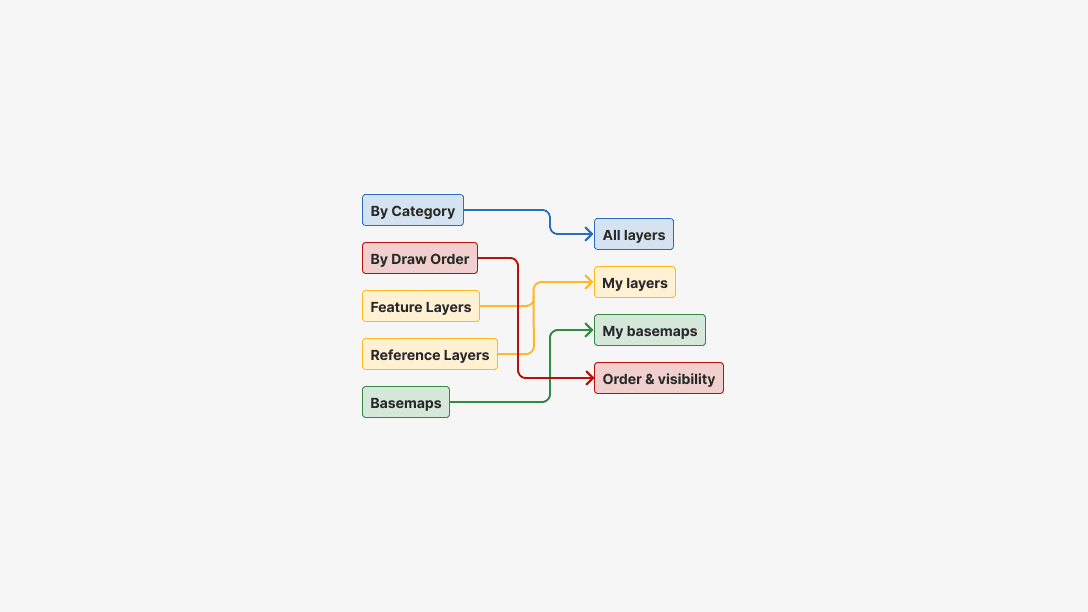
Simplify through language
A major focus was UX writing. Plain language replaced technical terminology.
Language became a design tool, not an afterthought.
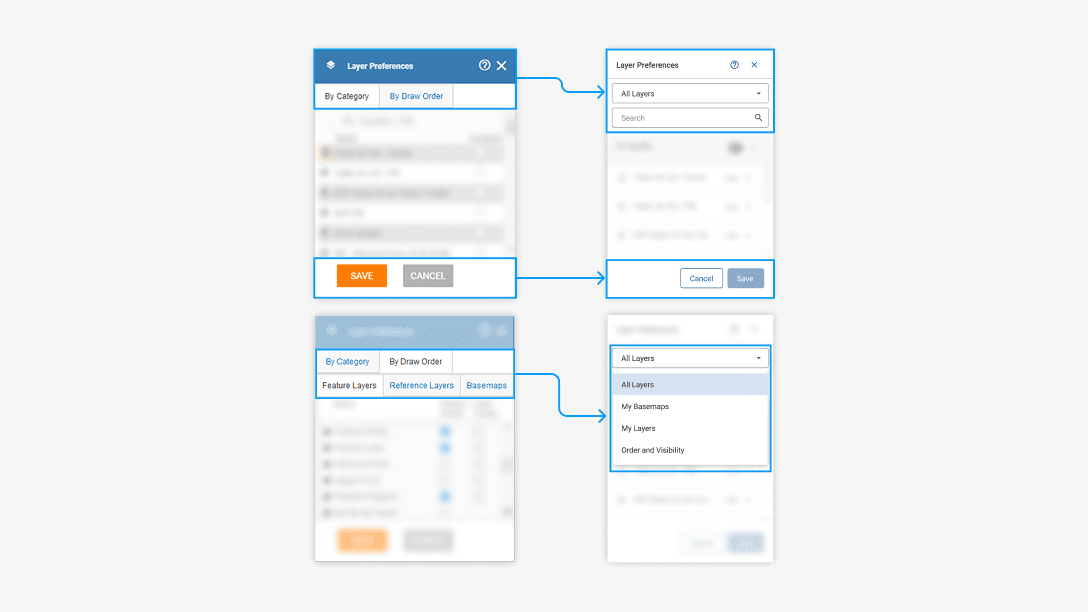
Apply consistent patterns
The redesign used established patterns from the design system.
This reinforced predictability across the system.
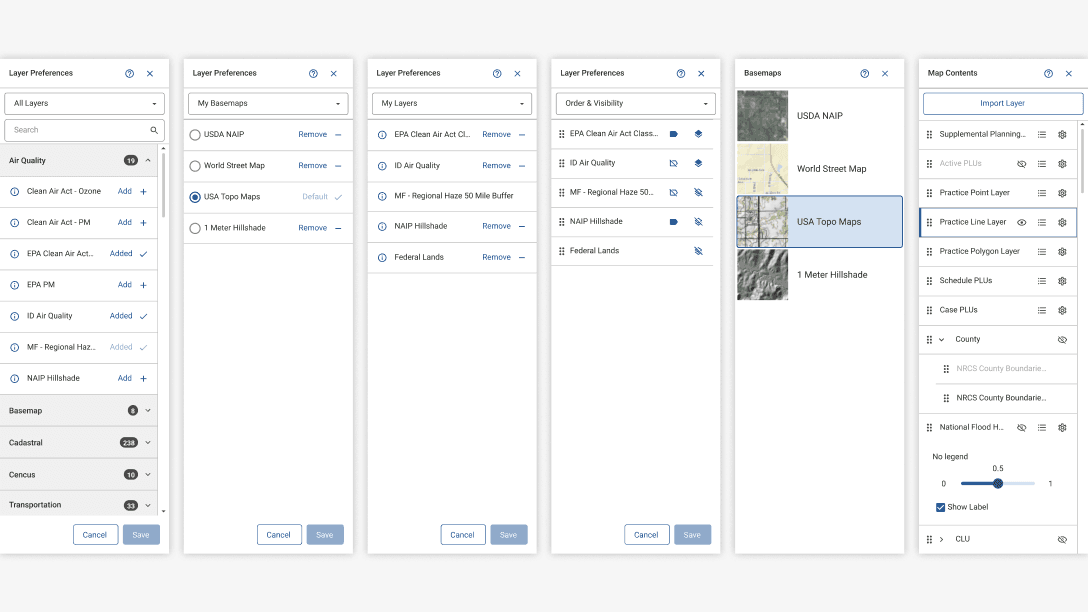
Add flexibility without friction
New capabilities were introduced carefully.
Functionality increased while effort decreased.
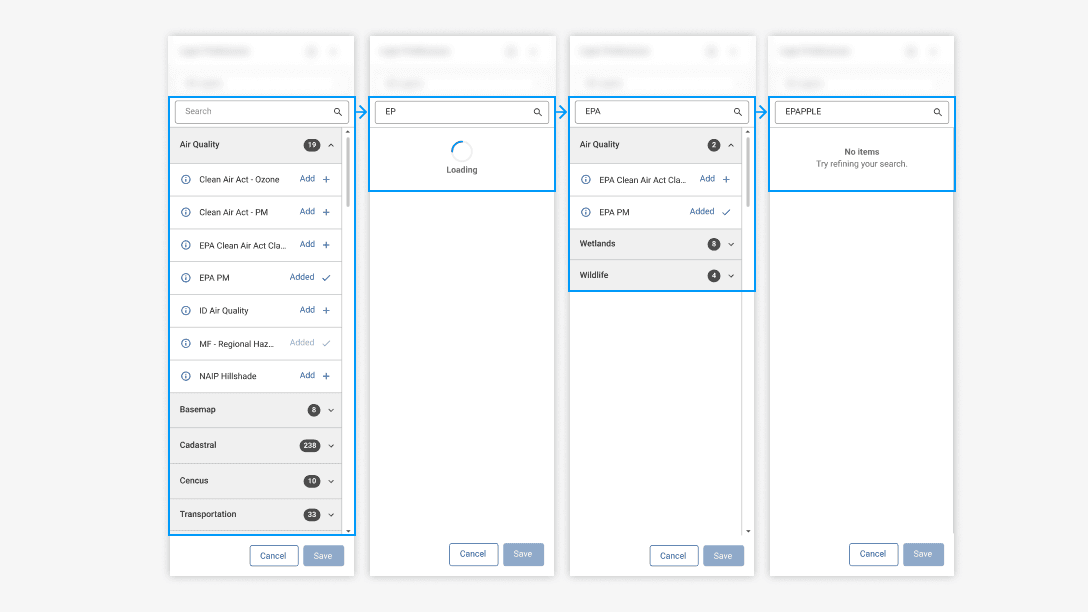
What Changed
- Reduced cognitive load
- Faster onboarding for new users
- Easier training and support
- Clearer alignment with other tools in the suite
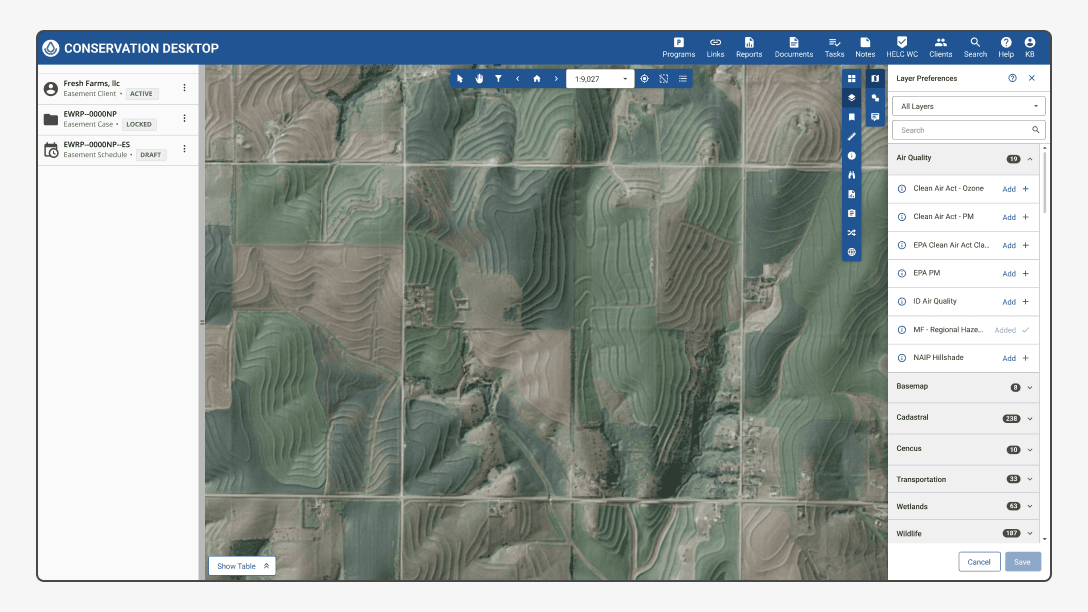
The redesigned interface made layer management intuitive and powerful. Users could accomplish complex tasks more easily.
The redesign demonstrated how small, focused improvements could have system-level impact.
Why This Matters
Complex tools don't have to feel complicated. By combining human-centered language, familiar interaction patterns, and system-aware design we created an experience that respected both user needs and technical constraints.